
Adding MCP to an ASP.NET Core API
How to let AI agents use an existing .NET API through the official MCP SDK, from the first tool to authentication and connecting Claude Code, with examples from my job tracker.
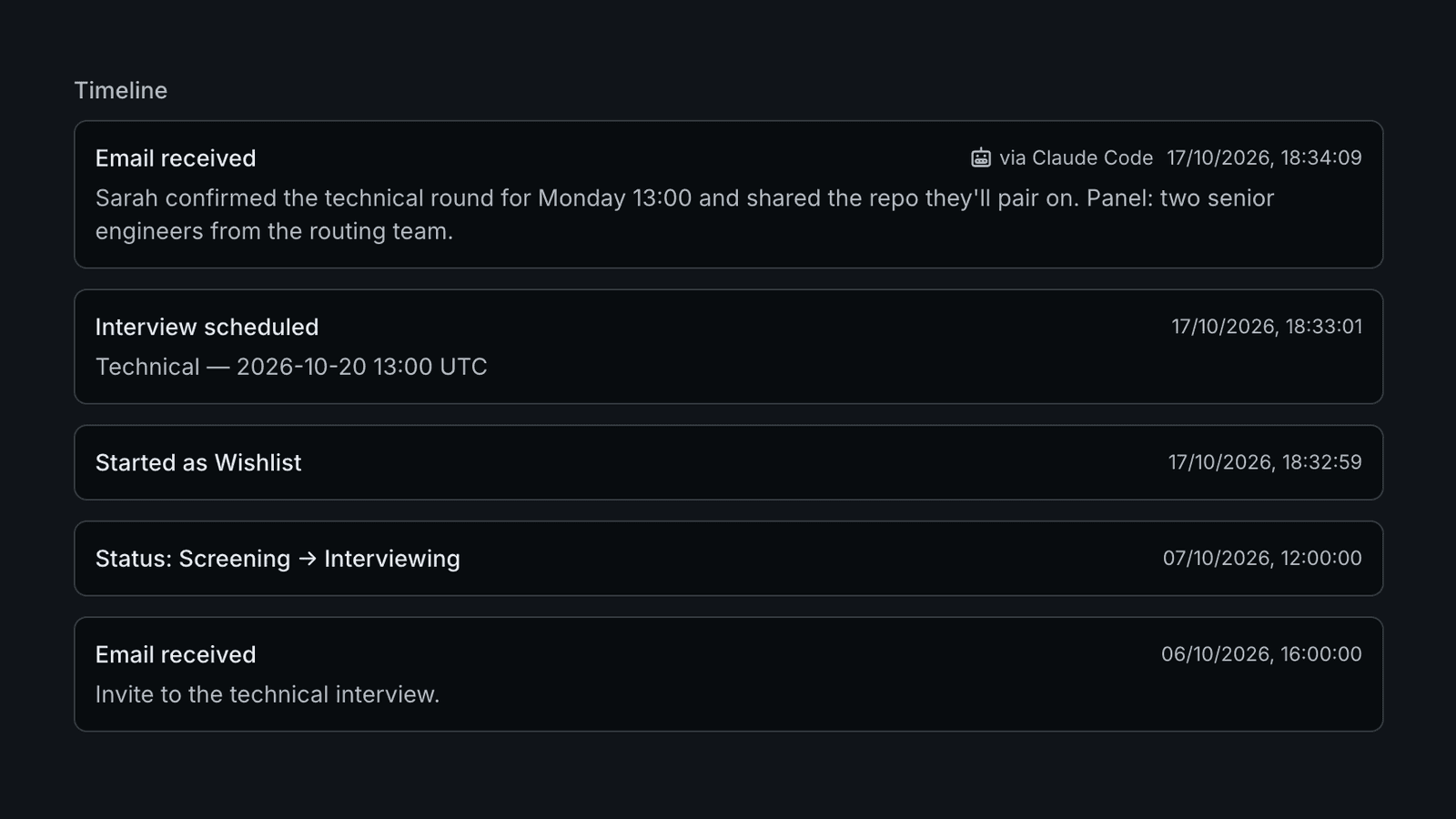
The Model Context Protocol (MCP) lets an AI agent call your application's functions as tools. Adding it to an ASP.NET Core API takes three pieces: the official SDK, some tool methods, and authentication. The first two are quick. Authentication takes most of the time.
I added MCP to Cairn, my job-application tracker. Claude Code can now search my applications, log a new one or move one to the next stage. The examples below come from that work.
Map an endpoint
For an HTTP server, install ModelContextProtocol.AspNetCore. Registration looks like any other service:
builder.Services.AddMcpServer(o => o.ServerInstructions = "Search before acting. Only pass ids returned by tools.")
    .WithHttpTransport(o => o.Stateless = true)
    .WithTools<ReadTools>();

app.MapMcp("/api/mcp");
Stateless mode means no session is pinned to an instance, so a redeploy doesn't disconnect anyone. ServerInstructions reaches the agent when it connects, which makes it the place for rules that apply across tools. Cairn uses it to say there are no delete tools and that dates need a UTC offset.
Write tools as plain methods
A tool is a static method. The SDK builds the input schema from the parameters and injects services like your DbContext. The [Description] text is the documentation the model reads:
[McpServerTool(Name = "get_application", ReadOnly = true, UseStructuredContent = true)]
[Description("Full details of one application: company, status, dates, salary, tags.")]
public static async Task<ApplicationResponse> GetApplication(
    AppDbContext db,
    [Description("Application id from search_applications.")] Guid applicationId,
    CancellationToken ct = default) =>
    await ApplicationQueries.GetAsync(db, applicationId, ct)
        ?? throw new McpException("No application with that id.");
The method body calls the same query class as the REST endpoint. Before writing any tools, I moved Cairn's endpoint logic into shared query and operation classes, so the REST and MCP behaviour can't drift apart. A thrown McpException goes back to the model as an error it can read and correct.
What made the tools easier for agents to use: filters that take names rather than ids, short results by default (job descriptions only on request), and no destructive tools.
Choose how agents authenticate
A local server over stdio runs as the user and usually needs no auth. A remote HTTP endpoint has two options.
API keys
Each user creates a key in your app, and the client sends it in an Authorization header. You validate it in an authentication handler like any other bearer token. It's the fastest to build, but users have to copy and rotate keys themselves.
OAuth 2.1
This is what the MCP spec describes. The user adds your URL to their client and approves access in the browser:
- The client calls the endpoint without a token and gets a
401pointing to a protected-resource metadata document. - That document names your authorization server.
- The client registers itself there, then runs authorization code with PKCE in the browser.
- It comes back with a bearer token and retries.
The SDK covers steps 1 and 2. Register its AddMcp scheme next to whatever validates your tokens, and make it the challenge scheme so a 401 carries the discovery header:
builder.Services.AddAuthentication(o =>
    {
        o.DefaultAuthenticateScheme = JwtBearerDefaults.AuthenticationScheme;
        o.DefaultChallengeScheme = McpAuthenticationDefaults.AuthenticationScheme;
    })
    .AddJwtBearer(o =>
    {
        o.Authority = "https://auth.example.com";
        o.Audience = "https://example.com/api/mcp";
    })
    .AddMcp(o => o.ResourceMetadata = new ProtectedResourceMetadata
    {
        Resource = "https://example.com/api/mcp",
        AuthorizationServers = { "https://auth.example.com" },
        ScopesSupported = ["app.read", "app.write"],
    });

app.MapMcp("/api/mcp").RequireAuthorization();
Steps 3 and 4 are the authorization server's job. You can use an identity provider you already run, as long as it lets unknown clients register, through dynamic client registration or client ID metadata documents. MCP clients aren't known in advance. For Cairn, OpenIddict supported neither, so I wrote a small server inside the API: four endpoints, four tables, and a consent page that reuses the existing login cookie.
For permissions, put [Authorize(Policy = "...")] on write tools and call .AddAuthorizationFilters() on the server builder. Tokens without the write scope then don't see those tools.
Connect Claude Code
Add the server from the terminal:
claude mcp add --transport http myapp https://example.com/api/mcpTo share it with everyone working in a repository, add --scope project. Claude Code then writes it to .mcp.json at the repository root, which you can commit:
{
  "mcpServers": {
    "myapp": {
      "type": "http",
      "url": "https://example.com/api/mcp"
    }
  }
}
With OAuth, that's all the config needs. On first use Claude Code gets the 401, follows the discovery chain and opens the browser for approval. Run /mcp in a session to see the connection status or sign in again. With API keys, add a header and keep the key in an environment variable, which Claude Code expands:
"headers": { "Authorization": "Bearer ${MYAPP_API_KEY}" }Once connected, the agent picks tools on its own. In Cairn, "I just applied to the backend role at Acme, remind me to follow up Friday" becomes create_application followed by create_reminder.
Test with a real client
Cairn had 274 passing tests when I first connected Claude Code, and it rejected every structured tool result. The SDK publishes an output schema that marks nullable fields as required, but its default JSON options leave null fields out. The SDK's own test client doesn't validate results, so the tests never noticed. The fix is one setting:
DefaultIgnoreCondition = JsonIgnoreCondition.NeverThe real client also found a 404 on the metadata document behind nginx, and clients that skip discovery entirely. Connect at least one real MCP client to a deployed instance before you call it done.